
TSplus 19.30: A Complete Remote Access and Application Delivery Solution
Introduction
TSplus 19.30 is a powerful remote desktop and application publishing solution designed to provide secure, cost-effective, and high-performance remote access for businesses of all sizes. It enables organizations to deliver Windows applications and desktops to users over the internet without the high licensing costs associated with traditional virtual desktop infrastructure (VDI). With improved security, simplified deployment, and enhanced user experience, TSplus 19.30 has become a preferred choice for companies looking to support remote work and centralized application management.
What is TSplus 19.x?
TSplus 19.x is a remote access software platform that transforms any Windows computer or server into a secure remote desktop server. It allows employees to access their office desktops, applications, and files from virtually anywhere using a web browser, Remote Desktop Protocol (RDP), or the TSplus Remote Access Client.
Unlike complex enterprise virtualization solutions, TSplus offers an affordable and easy-to-manage alternative suitable for small businesses, educational institutions, healthcare organizations, and enterprises.
Key Features of TSplus 19.x
1. Remote Desktop Access
TSplus 19.x provides secure remote desktop connections, allowing users to work from any location while accessing their Windows environment with minimal latency.
2. Application Publishing
Instead of displaying an entire desktop, administrators can publish specific Windows applications. Users only see the applications they need, improving productivity and reducing distractions.
3. HTML5 Web Portal
The integrated HTML5 web portal allows users to launch remote desktops and applications directly from any modern web browser without installing additional software.
4. Multi-User Support
TSplus supports multiple simultaneous users on a single Windows server, making it ideal for businesses seeking efficient resource utilization.
Security Features
Advanced Protection
TSplus 19.x includes several built-in security mechanisms to protect remote connections.
Two-Factor Authentication (2FA)
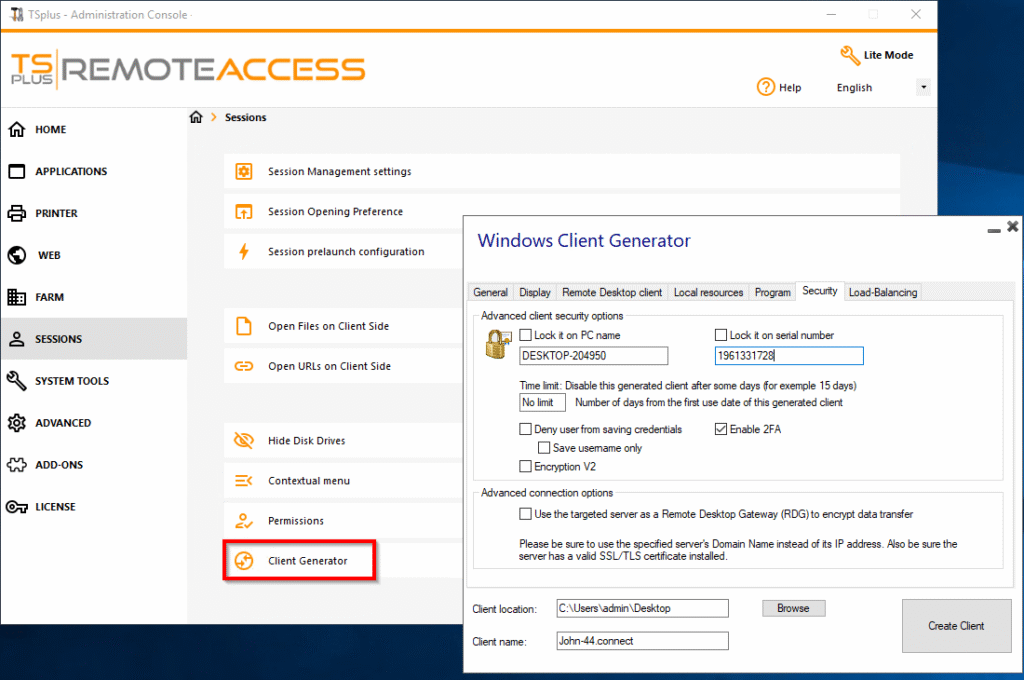
Two-factor authentication adds an additional security layer by requiring users to verify their identity using a second authentication method.
HTTPS Encryption
All web connections can be encrypted using HTTPS, ensuring secure communication between users and the server.
IP Filtering
Administrators can restrict access by allowing or blocking specific IP addresses, reducing unauthorized login attempts.
Brute Force Protection
The software automatically detects repeated failed login attempts and temporarily blocks suspicious IP addresses to defend against brute-force attacks.
Performance Improvements in TSplus 19.x
TSplus 19.x introduces several optimizations that improve overall performance:
- Faster remote desktop sessions.
- Reduced bandwidth consumption.
- Better printer and file redirection.
- Improved session stability.
- Enhanced compatibility with modern Windows operating systems.
- Optimized memory and CPU usage.
These improvements help organizations provide a smoother remote working experience even with slower internet connections.
Benefits of Using TSplus 19.x
Cost-Effective Solution
TSplus offers enterprise-grade remote access at a fraction of the cost of many competing solutions, making it an excellent investment for organizations with limited IT budgets.
Easy Deployment
Installation is straightforward, and administrators can configure remote access without requiring advanced technical expertise.
Flexible Access Methods
Users can connect through:
- Web browser
- Remote Desktop Client
- TSplus Remote Access Client
- Mobile devices
Centralized Management
IT administrators can manage users, permissions, published applications, and security settings from a centralized administration console.
Future Features and Enhancements
Improved Cloud Integration
Future releases are expected to provide deeper integration with cloud services, allowing easier deployment across hybrid environments softwares.
Enhanced Security
Additional authentication methods, stronger encryption standards, and improved threat detection will continue to strengthen platform security.
Better Mobile Experience
Upcoming versions may include improved mobile interfaces with enhanced touch-screen support for Android and iOS devices.
AI-Assisted Administration
Future updates could introduce AI-powered monitoring, automated troubleshooting, and intelligent resource optimization to simplify server management.
Expanded Cross-Platform Compatibility
Support for additional operating systems, browsers, and endpoint devices will further improve accessibility and user experience.
Conclusion
TSplus 19.x is a reliable, secure, and affordable remote access solution that enables organizations to deliver Windows desktops and applications from anywhere. Its powerful features—including application publishing, HTML5 web access, multi-user support, and advanced security—make it an excellent alternative to expensive virtualization platforms. With ongoing development focused on cloud integration, enhanced security, AI-assisted management, and improved cross-platform compatibility, TSplus continues to evolve as a comprehensive remote access solution for modern businesses.
Download One Day Pro Demo For Free
Telegram ID
eMail